
Browse frequently asked questions about General
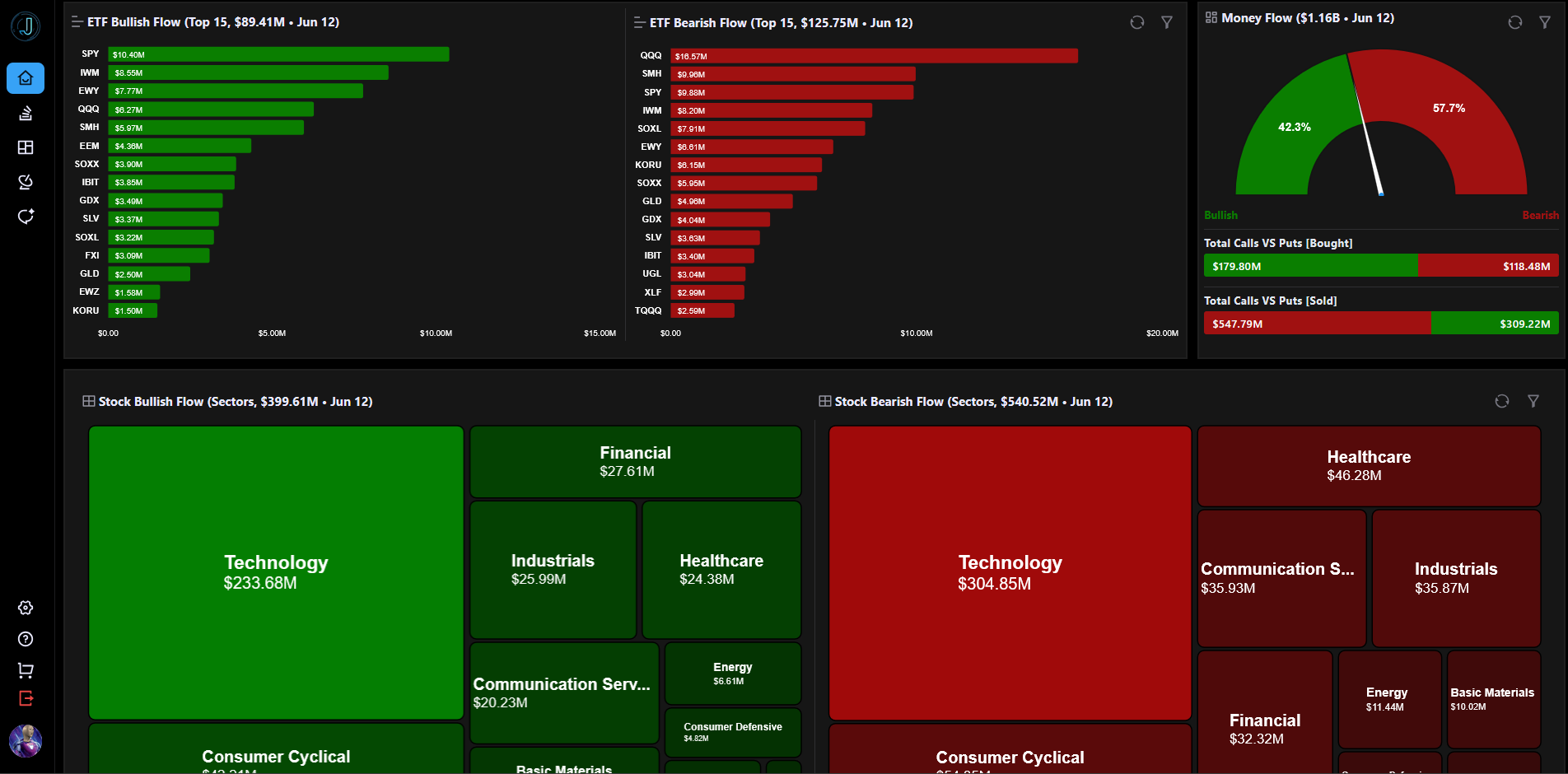
JarvisFlow is a financial trading analytics platform built for retail traders who want institutional-grade options flow data, AI-powered analysis, and real-time market intelligence.
The platform provides:
JarvisFlow is designed to help you discover unusual activity, understand market sentiment, and make more informed trading decisions.
After logging in, here's a recommended workflow:
Each page has its own FAQ section accessible from the FAQ page.
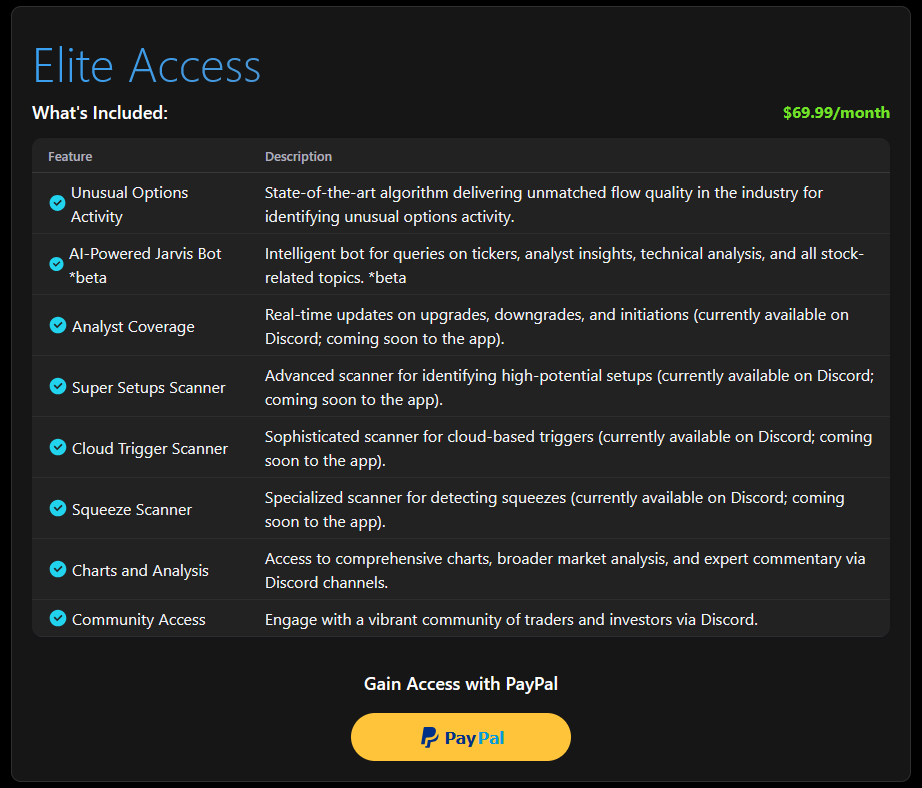
JarvisFlow offers an Elite Access subscription that unlocks all platform features including:
To subscribe:
Free-tier users are automatically redirected to the Purchase page on login.
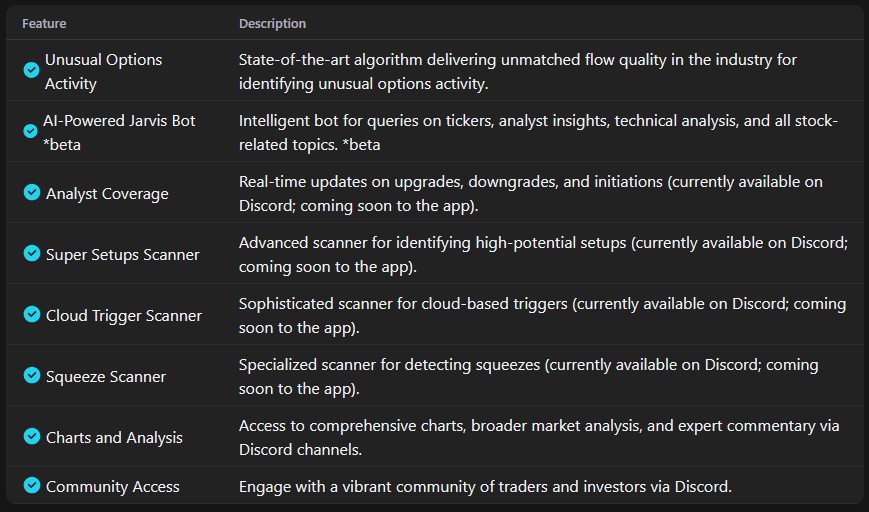
The Elite Access subscription provides full access to every feature on the platform:
Free-tier users see a limited subset of these features and are prompted to upgrade.
JarvisFlow currently accepts payments through PayPal. This includes:
All payments are processed securely through PayPal's payment infrastructure. JarvisFlow does not store your payment details — they are handled entirely by PayPal.
Whop is also supported as an alternative payment provider for users who prefer it.
You can cancel your subscription at any time from either the Purchase page or the Settings page (Billing tab).
Steps:
For Whop subscribers, you can also manage your subscription directly on the Whop platform.
Navigate to Settings → Billing to see your current subscription details:
If your last payment failed, you'll see a warning with a recommendation to re-subscribe.
Unusual options activity (UOA) refers to options trades that are abnormally large compared to the average daily volume for a given contract. These trades often signal that institutional traders or "smart money" are taking significant positions, which can indicate expected price movement in the underlying stock.
JarvisFlow processes hundreds of thousands of options trades daily using proprietary algorithms. We analyze trade size relative to average volume, premium spent, bid/ask positioning, and historical patterns to identify high-conviction trades from institutional players. Each trade is scored and categorized so you can quickly spot the most significant activity.
JarvisFlow combines real-time unusual options activity detection with AI-powered analysis, an interactive heatmap, and proprietary scanners — all in one platform. Our confidence scoring system filters out noise and surfaces only high-conviction alerts. Plus, our Discord community of traders provides a collaborative edge you won't find elsewhere.
The UOA Flow table is JarvisFlow's core feature — a real-time stream of unusual options activity with 15 data columns including ticker, strike, expiry, premium, trade type, and algo score. It auto-refreshes every 10 seconds and is color-coded by trade type for quick visual scanning.
Colors in the flow table indicate trade direction and type. Green represents bullish activity (calls bought or puts sold), red represents bearish activity (puts bought or calls sold), and other colors indicate sweep trades, block trades, or split executions. The color coding lets you instantly assess the sentiment of each trade.
The JarvisFlow heatmap is an interactive treemap visualization that shows bullish vs bearish money flow across the market. You can drill down through three levels: Sector → Ticker → Strike/Expiration breakdown. The size of each block represents volume, and the color represents net bullish or bearish sentiment.
JarvisFlow offers three proprietary scanners: Super Setups (identifies high-probability options setups based on unusual activity patterns), Squeeze Scanner (detects stocks with conditions ripe for short/gamma squeezes), and Cloud Trigger Scanner (finds tickers breaking through Ichimoku cloud levels with supporting options flow).
JarvisFlow does not currently offer a free tier. We focus on providing premium, institutional-grade analytics that deliver real value to serious traders. You can subscribe to Elite Access and cancel anytime if it doesn't meet your needs.
No. JarvisFlow AI and all platform features are intended to assist with research and education only.
All outputs are generated based on available data and technical models and should be used as a supplement to your own analysis and judgment.
The information provided is not financial advice. Always conduct your own research and consult with a qualified financial advisor before making investment decisions.
Join our Discord community or reach out to our support team for personalized assistance