
Browse frequently asked questions about Chat
The Chat Page allows you to interact directly with JarvisFlow AI, an intelligent assistant designed to help you analyze market activity, interpret data, and explore trading ideas.
This page is ideal for users who want quick insights, structured analysis, or deeper explanations without manually filtering through tables and charts.

You can use the chat input to ask JarvisFlow AI questions about:
Simply type your question and submit it to receive a detailed response.
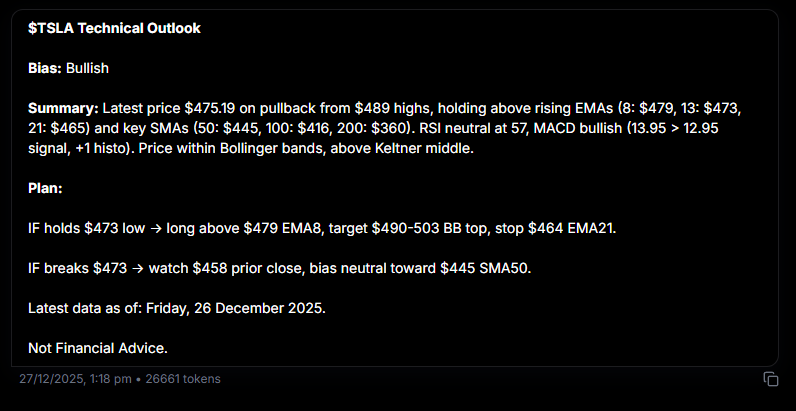
After you submit a prompt, JarvisFlow AI generates a structured analysis report that typically includes:
Bias — A directional outlook (bullish, bearish, or neutral) based on current market data and technical indicators.
Summary — A concise overview of recent price action including key support/resistance levels, moving averages, momentum indicators (RSI, MACD), and volatility indicators (Bollinger Bands, Keltner Channels).
Plan — A scenario-based breakdown of potential outcomes with conditions that support trend continuation, key levels to watch, and alternative scenarios if price breaks important levels.
Each response includes a timestamp showing when the data was last updated and a disclaimer that information provided is not financial advice.
The Chat Page works best when combined with the rest of the platform:
This creates a seamless workflow from data discovery to interpretation.
Every completed JarvisFlow AI response has a Share button (share icon) next to its other actions.
Steps:
If you don't see a Share button on a response, refresh the page — once the conversation loads from history the button appears.
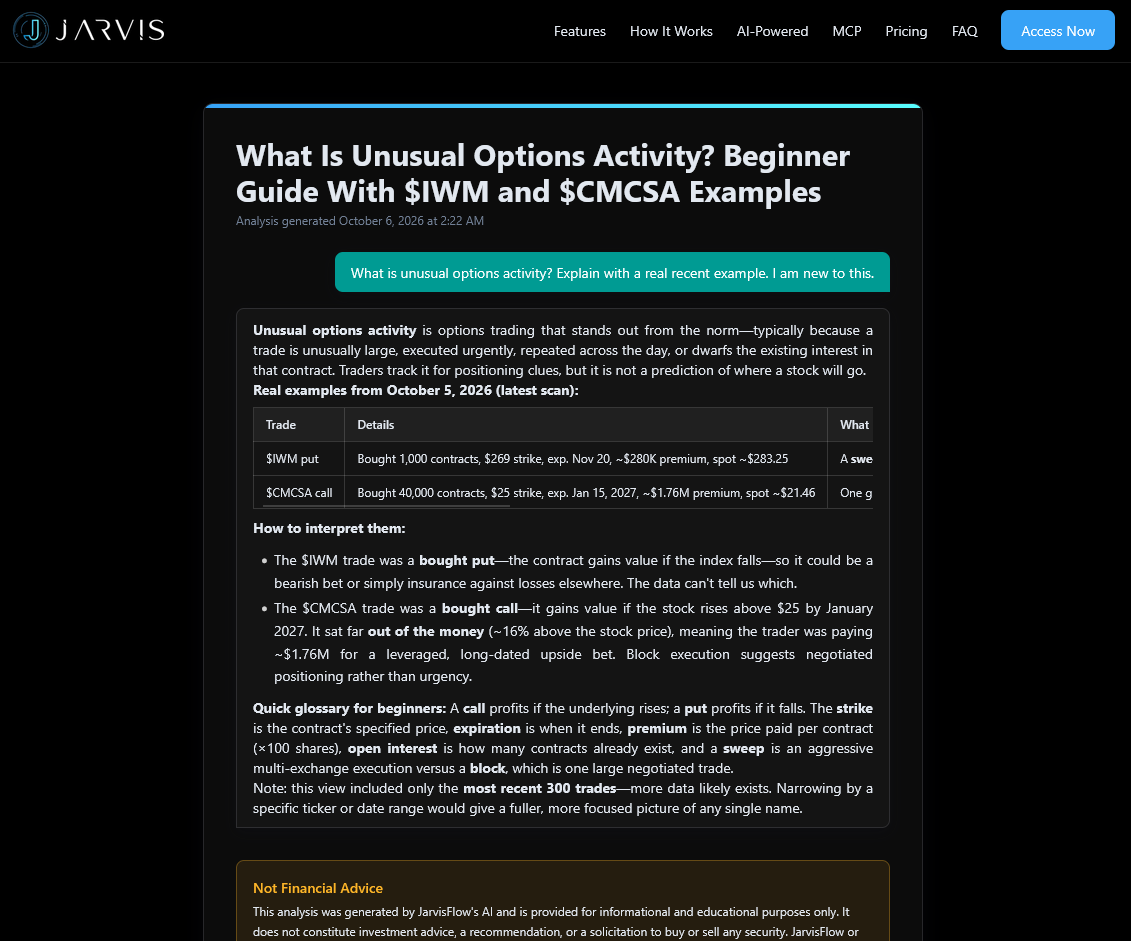
A shared link opens a public page at www.jarvisflow.io/share/... that renders the question and the AI analysis as static chat bubbles — the same content you see in the app, presented as a clean, readable article.
Someone viewing the page cannot see the rest of your chats or your account — only the single response you shared.
Anyone who has the link. Shared pages are fully public and may be indexed by search engines, so they can show up in Google and AI search results.
Before sharing, make sure the response doesn't contain anything you want to keep private — the shared page includes your question and the full AI answer. See our Privacy Policy for how shared content is handled.
Curated featured analyses appear on the jarvisflow.io landing page and at /shares/featured.
The complete public archive lives at /shares/all, organized by month — open any month to browse that period's shares. Each card shows when the analysis was shared.
Anyone can browse these pages — no login required.
Join our Discord community or reach out to our support team for personalized assistance