
Browse frequently asked questions about Analyst Ratings
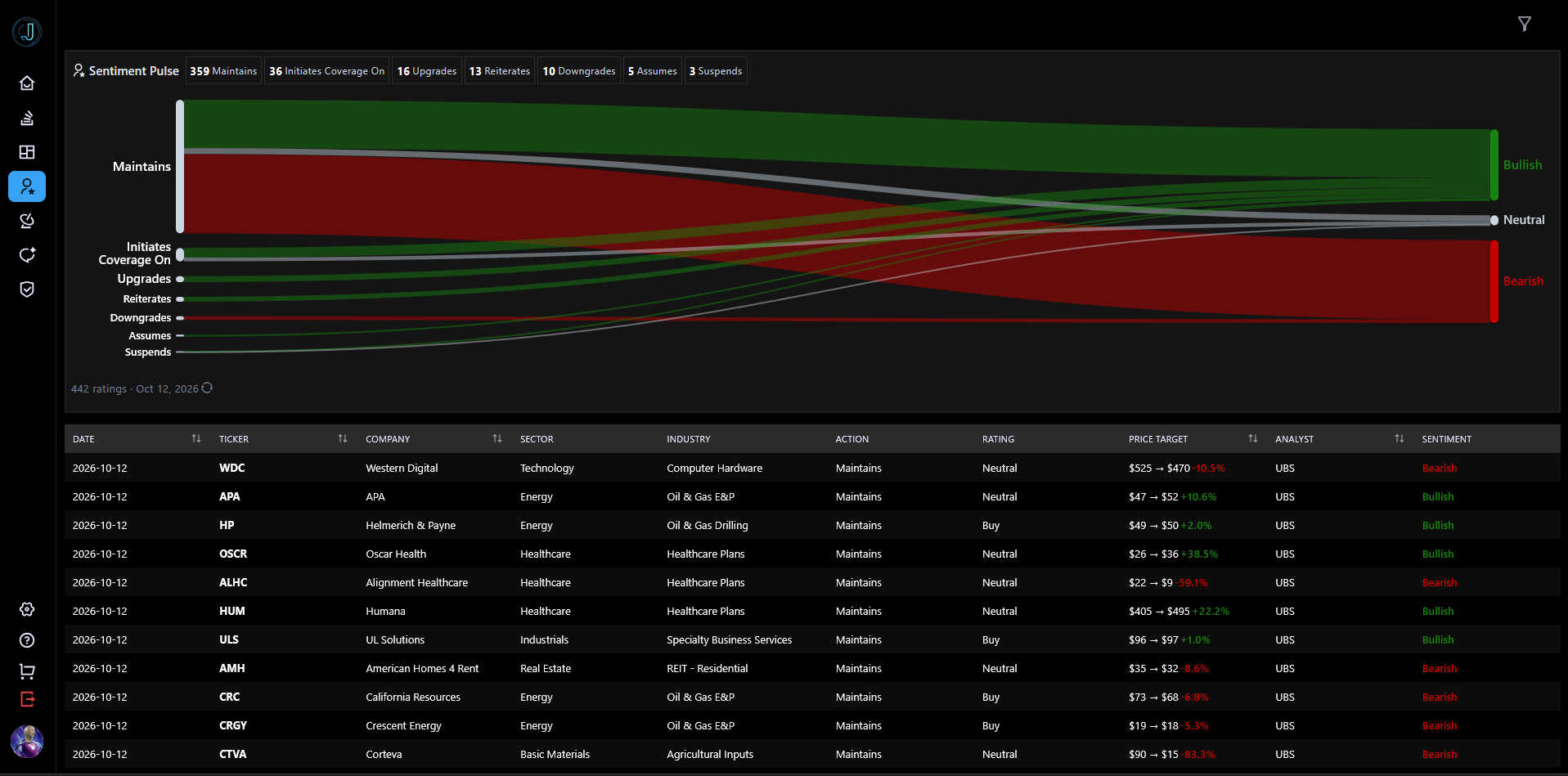
The Analyst Ratings page tracks Wall Street analyst actions on stocks — upgrades, downgrades, rating changes, maintained ratings, and initiations of coverage — so you can see how street sentiment is shifting.
The page has three main parts:
You can filter everything by ticker, sector, industry, rating action, rating, analyst, and date range. A compact snapshot of Sentiment Pulse and the Rating Spectrum also appears on the Dashboard with a "View full ratings →" link that opens this page.
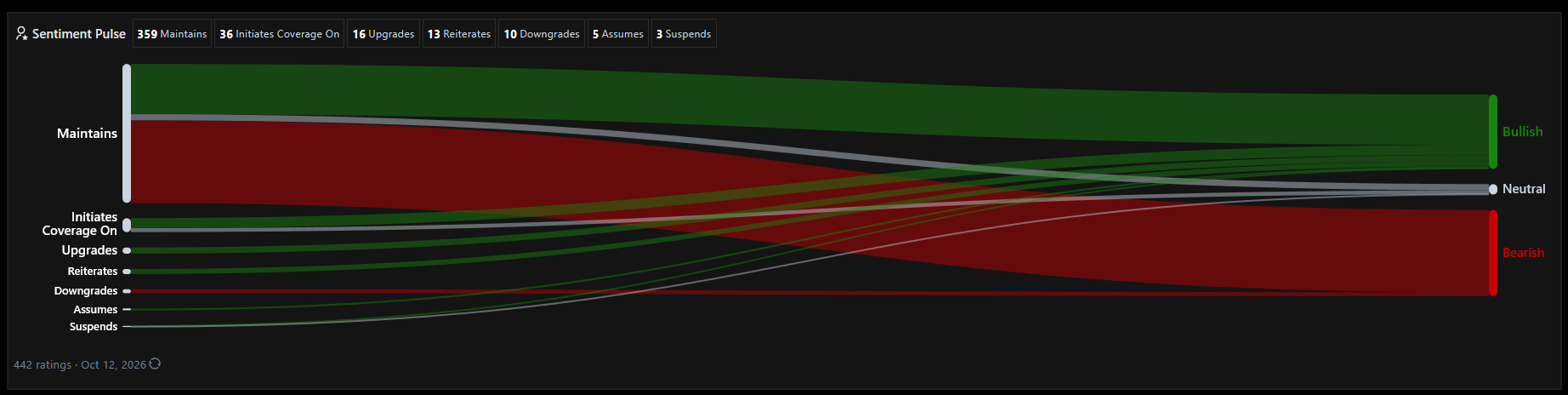
Sentiment Pulse shows how analyst sentiment connects to analyst actions for the selected period.
How to read the chart:
Action chips next to the title summarize the main action types at a glance.
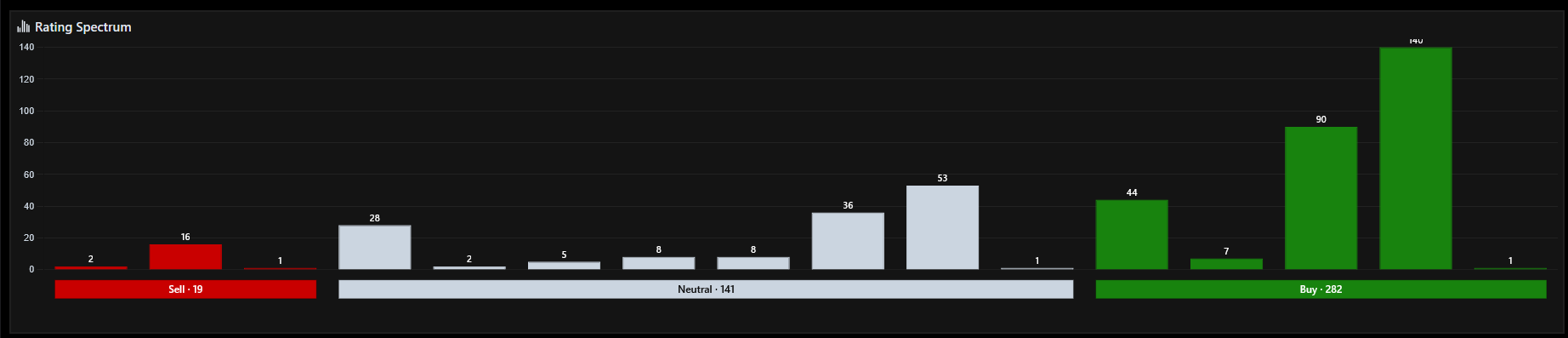
The Rating Spectrum shows the distribution of current analyst ratings along a scale from the most bearish (Strong Sell) to the most bullish (Strong Buy).
The chart is deliberately a distribution, not a single consensus score, so you can see how divided the street actually is.
Click the filter icon on the right side of the page header to open the filter drawer. Available filters:
Filters apply immediately — there is no Apply button. Active filters appear as removable chips above the table: click the X on a chip to remove that filter, or Clear all to reset everything. On tablets and phones the drawer also has a Mobile Optimized View toggle for the compact card layout.
Each row is a single analyst rating event. Desktop columns:
Ticker, Sector, Industry, Action, Rating, and Analyst cells are clickable — click one to filter the whole page to that value. Some column headers are clickable to sort, and the table is server-paginated — use the pager to move between pages.
On smaller screens the table switches to the Mobile Optimized View card layout (toggle it from the filter drawer). Each card shows the ticker, company, and a colored sentiment pill, the analyst's summary text, the analyst, action, rating, price target, and date.
Join our Discord community or reach out to our support team for personalized assistance